Web UI
The Next.js/React application is a client of boothd. Closing or reloading it does not stop an offline render. An optional desktop wrapper remains deferred.
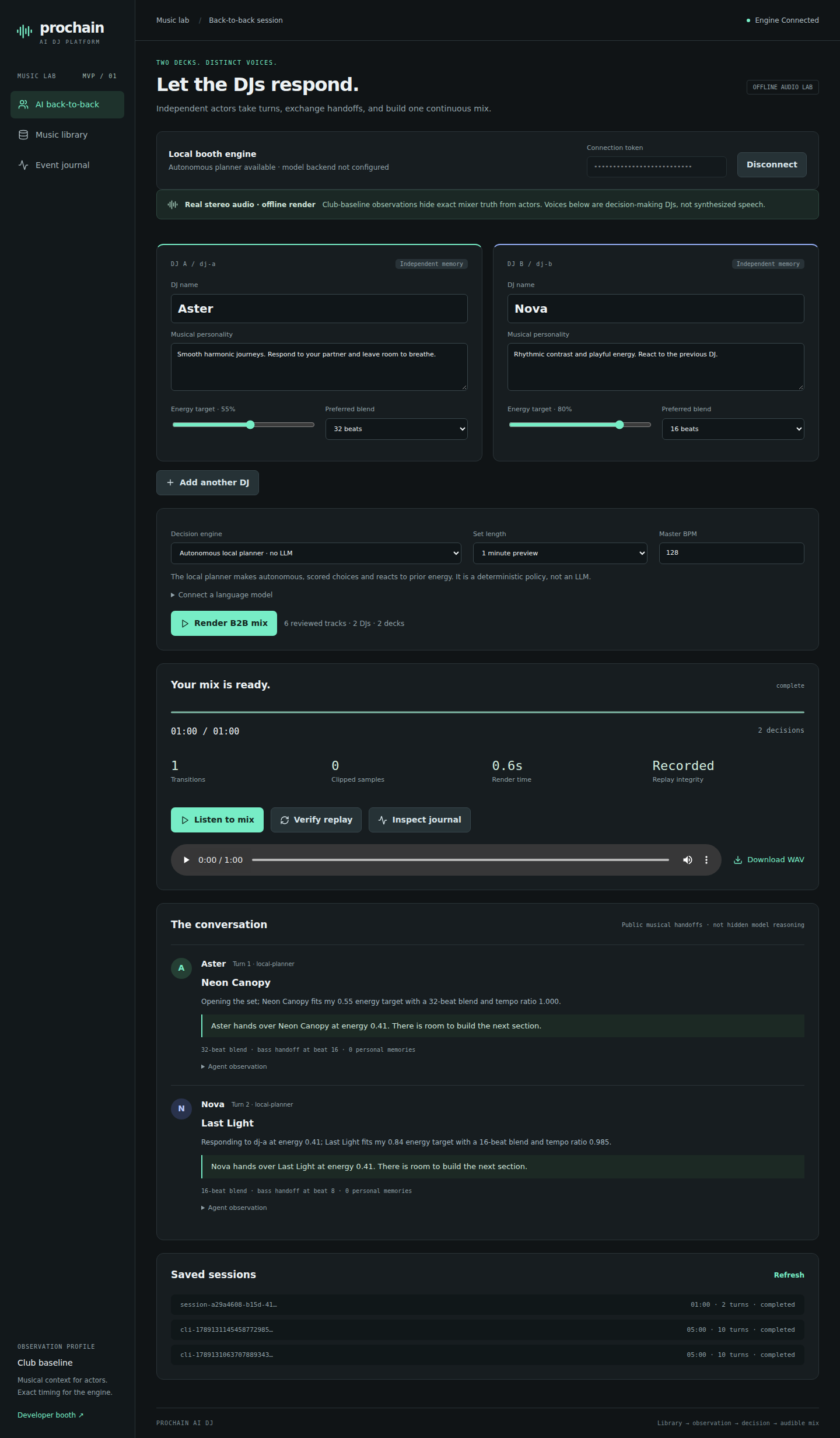
/b2b configures two to four actors, model or local-planner mode, personalities, energy targets and transition preferences. It shows planning decisions and public handoffs, then accelerated render progress. Completed sessions expose WAV playback/download and replay verification. Pause/resume/cancel apply to the offline worker.
/library imports music, generates procedural demo assets and reviews BPM, first beat, regular phrase length and key. /events inspects persisted session events. The internal tabs retain the in-memory authentication token; a page reload requires reconnecting.
/booth is the older four-deck metadata command playground, separate from the audible session renderer. Do not confuse its Play/fader controls with live control of a B2B recording.
The daemon binds loopback and accepts the configured local bearer token. Browser origins are restricted to localhost/127.0.0.1 port 3000. Keys for model providers stay server-side. This local authentication scheme is not a multi-user LAN deployment design.
Navigation (2026-09-14)
There is one platform menu, rendered by every shell, with five groups organised by what you are doing rather than by which process serves the page: Perform (Live club, the audible four-CDJ runtime; Offline B2B render), AI DJs (DJ roster; Model usage), Music (Search, Packs, Import and export, Processing queue, Analysis), Learning (Experiments, Practice jobs, Learning studio, Event journal) and Developer (Metadata booth, and honest not-built markers for Simulator, PRO DJ LINK and MIDI). Every destination has one name and one place. The previous four sidebars disagreed with each other, and two placeholders advertised as “planned” features that existed.
Account (2026-09-27)
The menu ends with Account: who is signed in (username, email, sign-in kind),
Change password, and Sign out. Passwords live in Keycloak, so the button opens
Keycloak's own update-password form and comes back to /account with a one-line result
(changed, cancelled, or failed). The current session stays open; the new password
applies from the next sign-in. On a local operator session the page says that passwords
exist only on the hosted site. Sign out ends both this site's cookie and the Keycloak
session, after Keycloak's own confirmation.
Set studio (2026-09-20)
/sets (Perform → Set studio) holds three modes over the sets the live booth autosaves:
Discovery lists the recordings as they grow, Editor reorders and re-seams a mix with the
local ranker or one adviser call per seam, Listen renders and plays the WAV with a
per-track timeline. See Set studio.